

Workplace Culture
Microsoft Teams can now track what room you’re in.
‘Do these companies ever put these ideas through a creepy assessment?’
March 11, 2026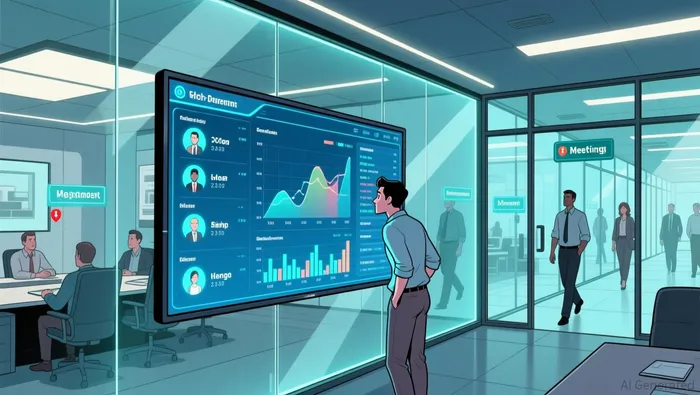
AI OVERVIEW
Microsoft Teams has introduced a feature called
"Automatic Update of Work Location,"
which automatically detects and broadcasts your location within the
office based on your Wi-Fi connection and connected peripherals. This update, part of Microsoft's broader strategy for hybrid work coordination, began a wide rollout in March 2026.How the Tracking Works
The feature uses your device's connection to your organization's infrastructure to pinpoint your location without using GPS.
- Wi-Fi Connectivity: Teams identifies the specific Wi-Fi access point your laptop is connected to. If your IT department has mapped these points, it can determine your precise building, floor, or department.
- Desk Peripherals: Plugging your laptop into a configured docking station or monitor can also automatically set your exact spot within the office.
- Status Updates: Once detected, your status will automatically update to "In the office" or show a specific location (e.g., "Building A – 2nd Floor") next to your profile for colleagues to see.
Privacy and Control
Microsoft emphasizes that this is intended as a collaboration tool rather than a monitoring device.
- Opt-in Only: The feature is off by default. Even if an organization enables it, each individual employee must personally opt in through a consent prompt in the Teams client.
- Working Hours: Tracking only occurs during set working hours; the location data is not updated or stored once your workday ends.
- Admin Limits: Admins cannot consent on a user's behalf, though privacy experts warn that social pressure or company policies may make opting out difficult for some employees.
Implementation Details
- Availability: The feature is available for both Windows and Mac desktop clients.
- Visibility: You will see an icon in your Teams client when the tracking is active, and you can still manually override or clear your location at any time.
- Configuration: For organizations to use this, IT admins must first configure the Microsoft Places settings and map the building's Wi-Fi network.

Uploaded: Feb 18, 2026

The
discussion centers on a new Microsoft Teams feature that may share an
employee's location with their organization, which the original poster
finds concerning for global roles.
- Many comments suggest this isn't new, as companies often use VPNs or other methods to track location or office presence.
- Some believe it mainly affects hybrid workers needing to be in the office, indicating if they are connected to the office Wi-Fi network rather than a precise location.


No comments:
Post a Comment